Skip to content
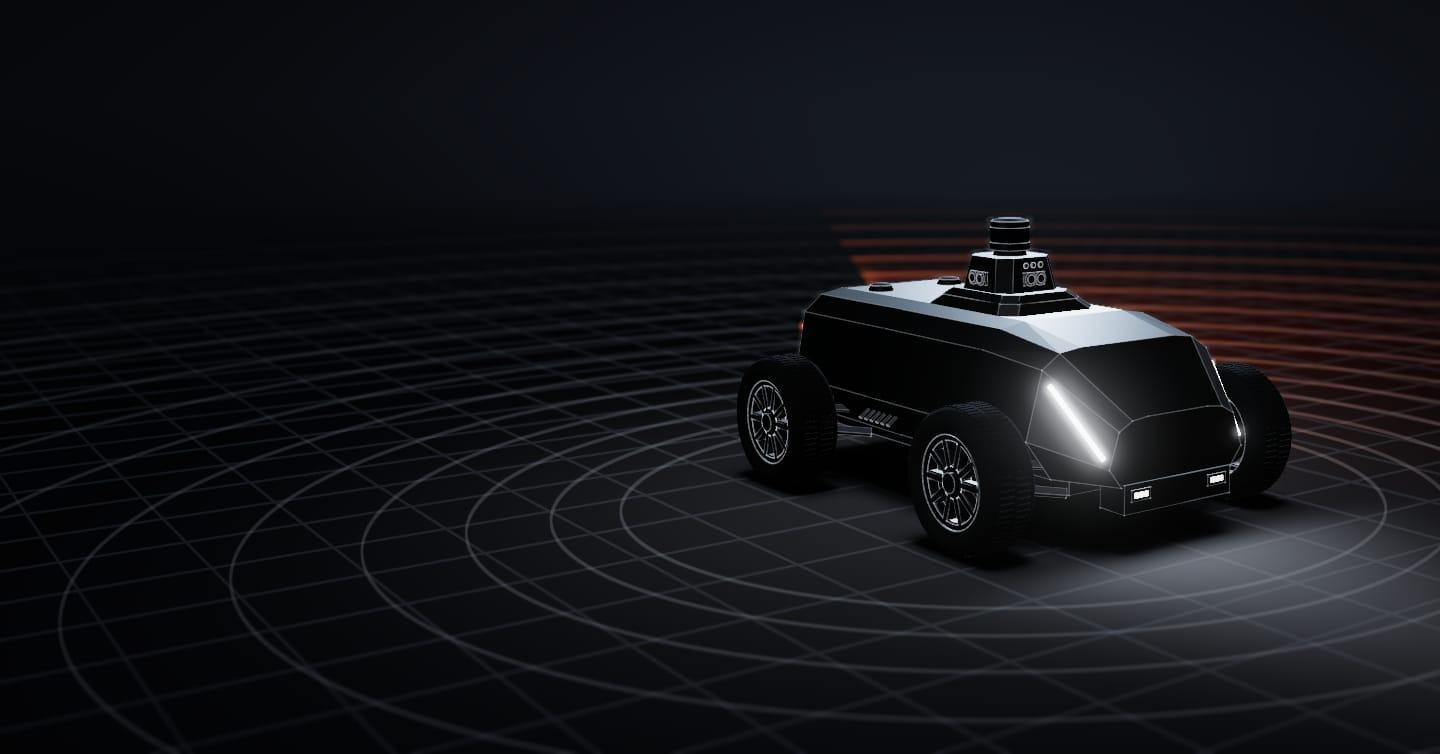
Illustrative model · not to scale

Perimeter security technology · Robot as a Service

Miles of perimeter, covered every night

For security companies and site owners. The SX-1 robot covers the perimeter of solar farms, warehouses and estates, by day and by night, detects intrusions and sends the alert, with a photo and its position, to whoever you choose: your security company, your ARC or your phone.

Standard protocol
the one alarm receiving centres use
Simulation

From route to alert

A solar farm, an airport or an industrial park can have kilometres of fence. Fixed cameras cover sections, and walking the fence at night is slow and expensive.

01 / 04 · Cover

It drives the fence and the routes on your site map; you decide which zones alert and when. It stops for an obstacle and moves on once the way is clear.
02 / 04 · Detect

Detect

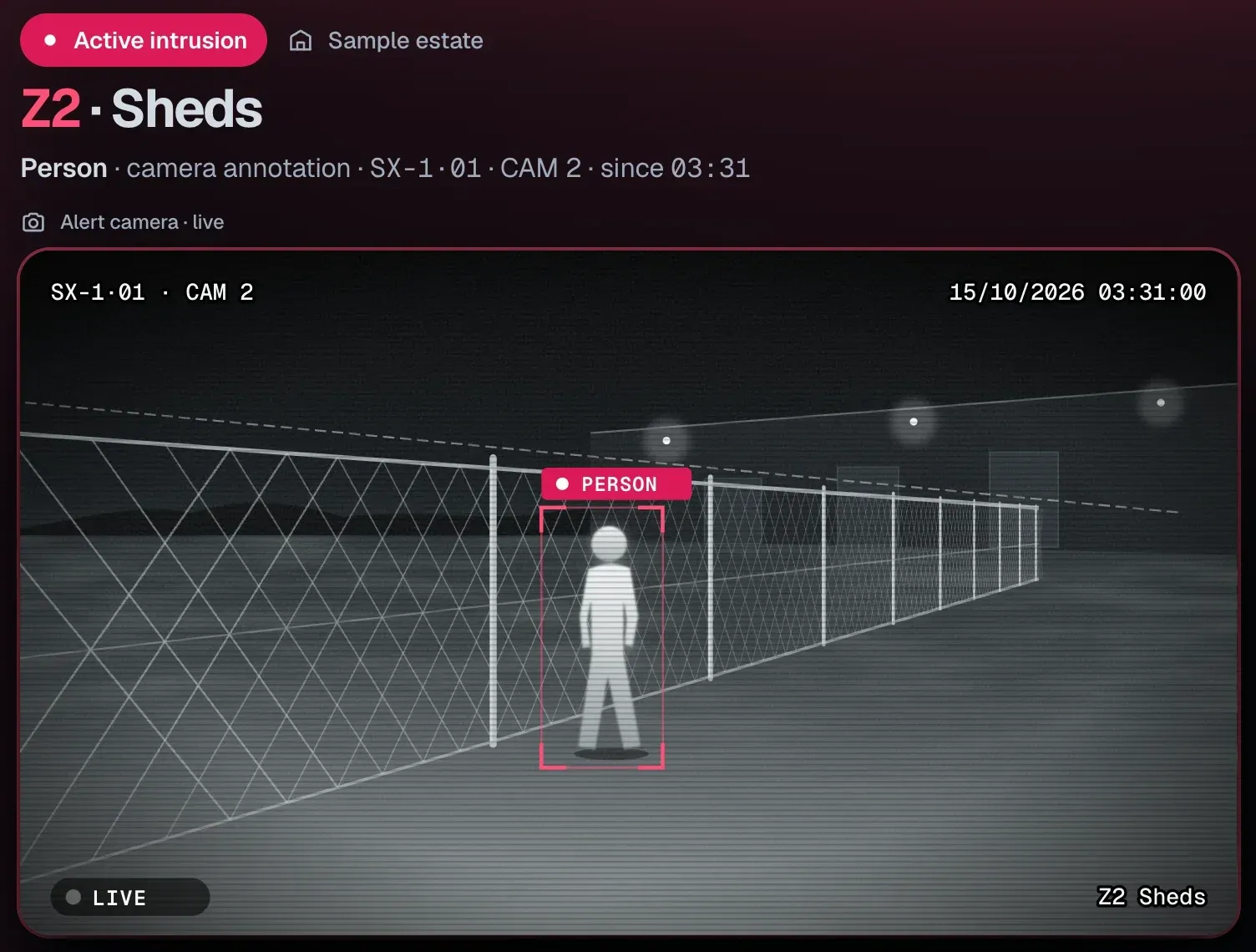
The LiDAR and the cameras detect people entering a detection zone, and the camera provides the image.

03 / 04 · Classify

Classify

Marks what it has seen, a person or a vehicle, and places it on the site map.

04 / 04 · Alert

Alert

It sends the alert, with the image and the position, to whoever handles it: your security company, your ARC or you. Whoever receives it decides the response.

How an alert travels

The story of an alert

One alert, from start to finish

One night on a sample estate with a security company. The SX-1 detects, whoever handles the alert decides, and you see it.

  1. 03:3101 / 04 · SX-1 robot

    The SX-1 detects

    On its route, the SX-1 detects a person in zone 2, by the sheds, and sends the alert with the image and the position.

    Diagram · sample data
    CAM 2 · 03:31:00
  2. 03:3102 / 04 · SeaX Live

    The officer sees it and decides

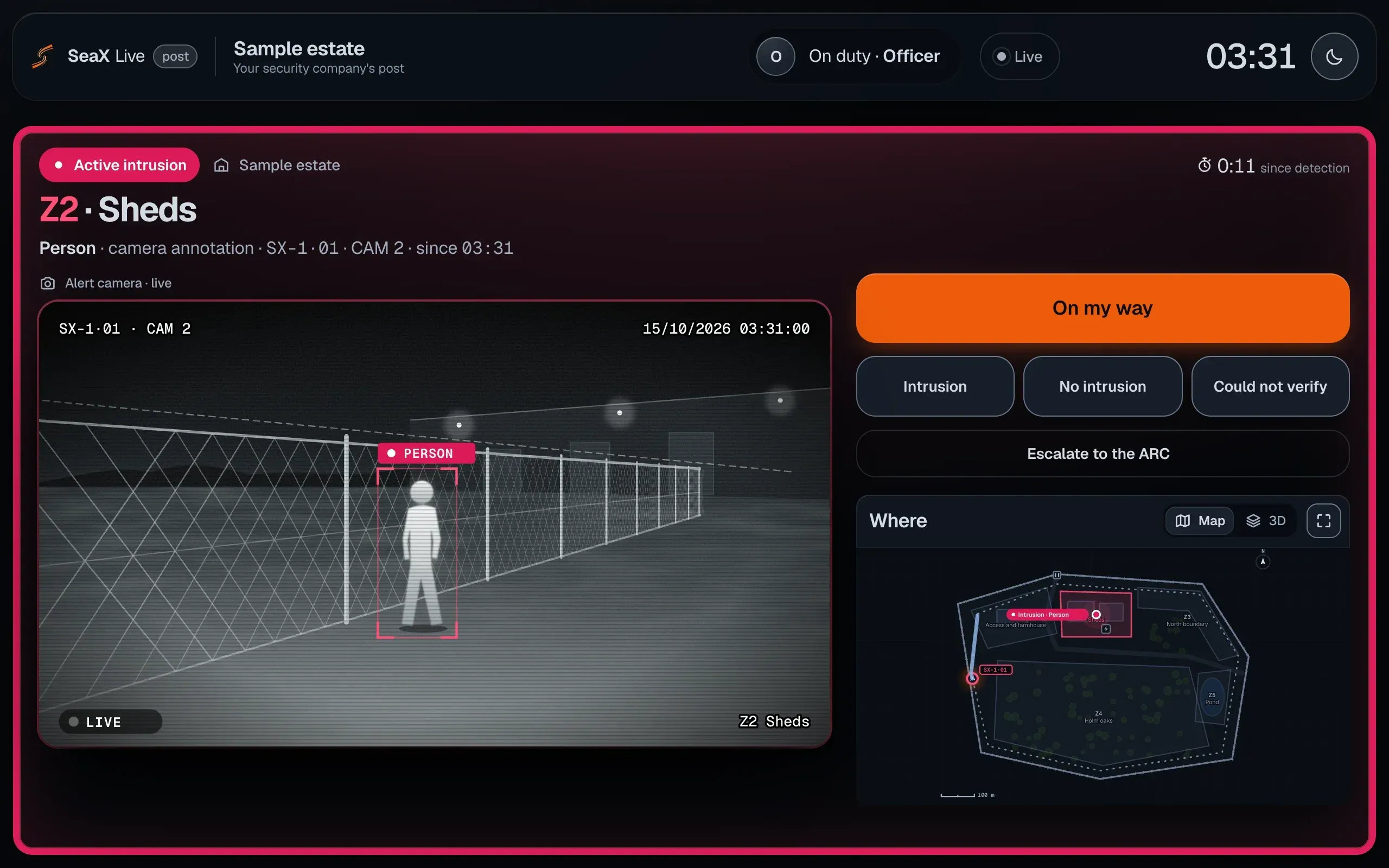
    The alert reaches your security company’s officer at their post, with the live camera and the map. They decide: go to the spot, close it or escalate it to your ARC.

    Mockup · sample data
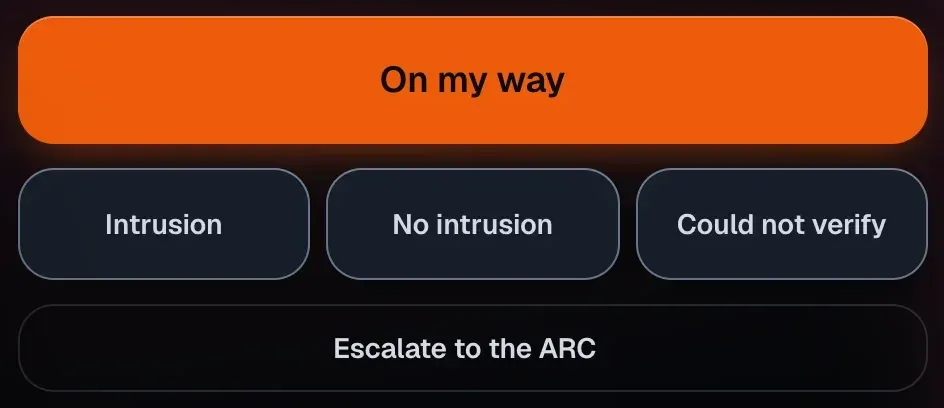
    The officer’s post in SeaX Live: the “Active intrusion” alert in zone 2, the SX-1 camera live with the person marked, the “On my way”, “Intrusion”, “No intrusion”, “Could not verify” and “Escalate to the ARC” buttons, and the map with the alert point.The officer’s post in SeaX Live: the “Active intrusion” alert in zone 2, the SX-1 camera live with the person marked, the “On my way”, “Intrusion”, “No intrusion”, “Could not verify” and “Escalate to the ARC” buttons, and the map with the alert point.
  3. 03:3203 / 04 · SeaX Connect

    Your ARC receives the images

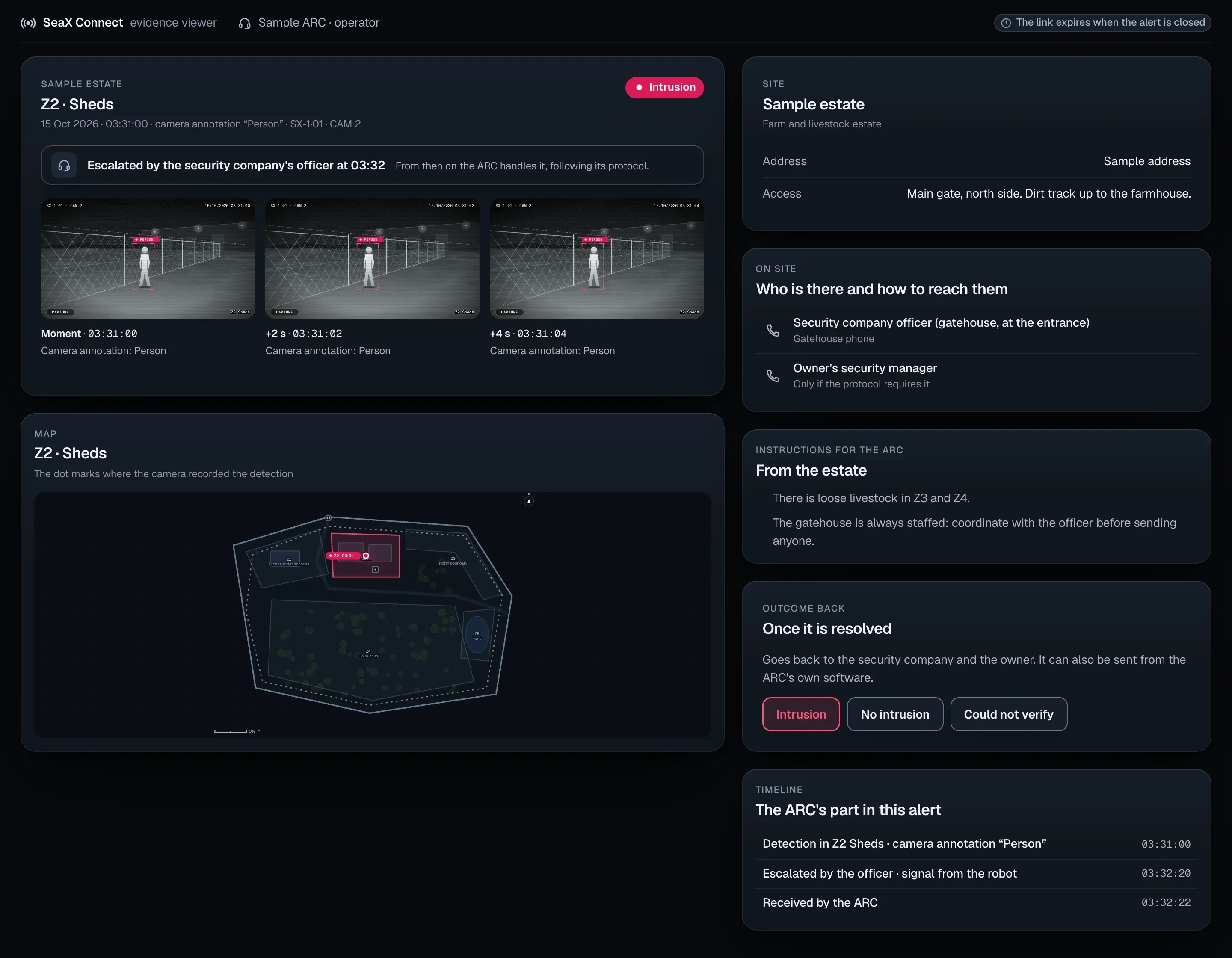
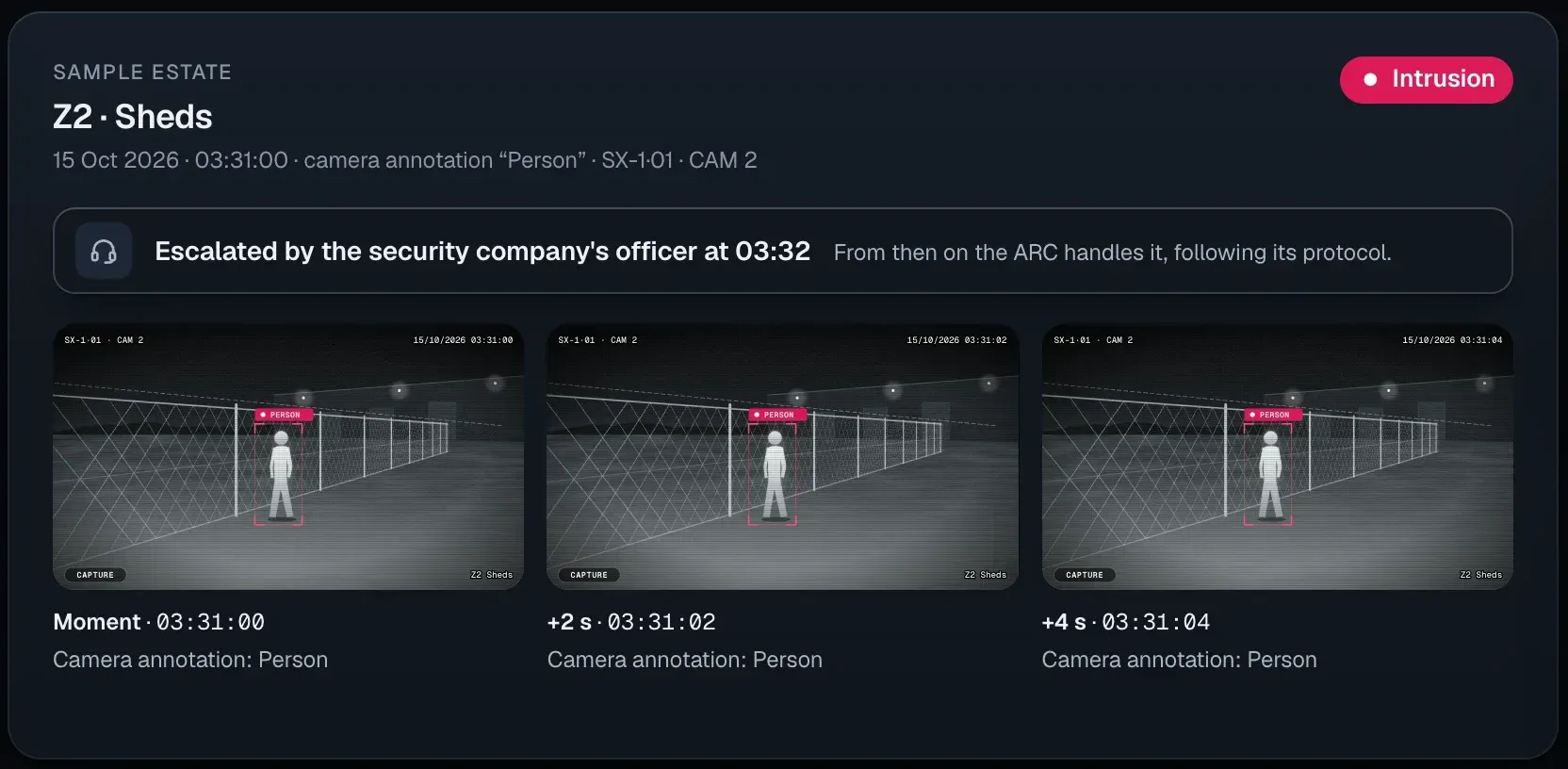
    The officer escalates it to your alarm receiving centre (ARC). Its operator sees the time-stamped photos, the map of the zone and who is on site, and manages the response under the agreed protocol.

    Mockup · sample data
    SeaX Connect at your alarm receiving centre: the alert escalated by the officer at 03:32, three time-stamped camera photos, the map of zone 2, who is on site, the estate’s instructions and the timeline.SeaX Connect at your alarm receiving centre: the alert escalated by the officer at 03:32, three time-stamped camera photos, the map of zone 2, who is on site, the estate’s instructions and the timeline.
  4. 03:4704 / 04 · SeaX View

    You see it on your phone

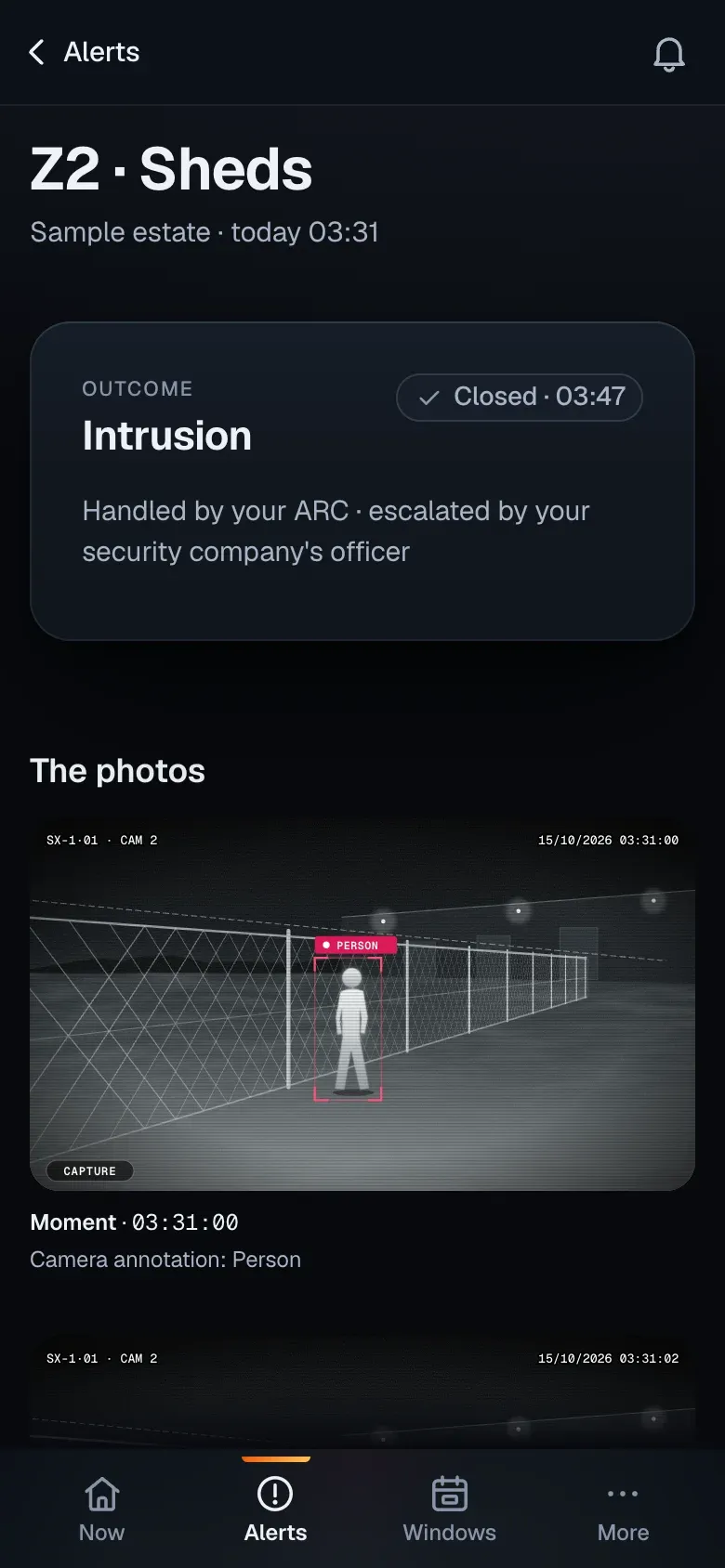
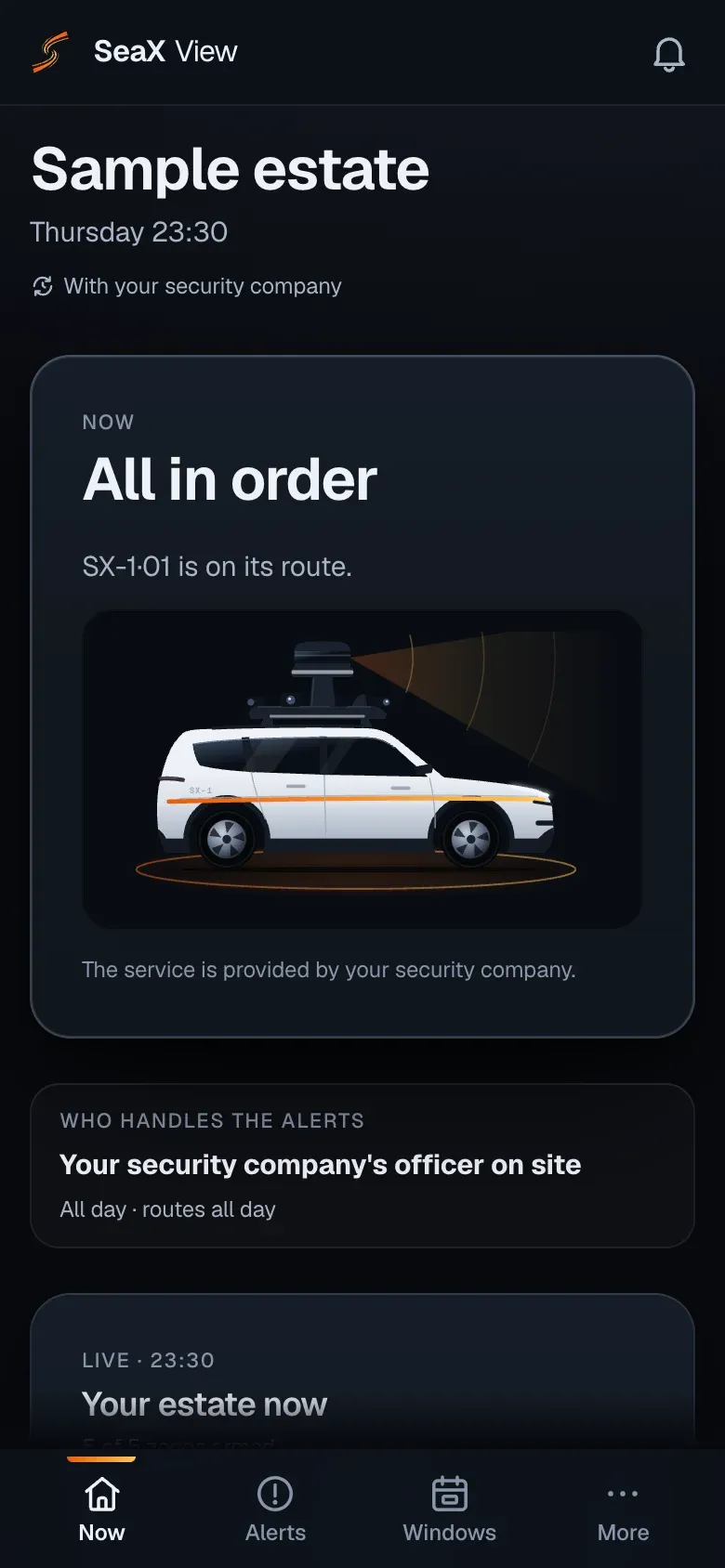
    In SeaX View you see how the alert was closed, who handled it and the camera photos.

    Mockup · sample data
    SeaX View on a phone: the zone 2 alert, closed at 03:47 as “Intrusion”, handled by your ARC after the officer escalated it, with the camera photos.

Alert · Z2 · Sheds · SX-1·01 · CAM 2

Diagram · sample data
CAM 2 · 03:31:00
Mockup · sample data
The officer’s post in SeaX Live: the “Active intrusion” alert in zone 2, the SX-1 camera live with the person marked, the “On my way”, “Intrusion”, “No intrusion”, “Could not verify” and “Escalate to the ARC” buttons, and the map with the alert point.
Mockup · sample data
SeaX Connect at your alarm receiving centre: the alert escalated by the officer at 03:32, three time-stamped camera photos, the map of zone 2, who is on site, the estate’s instructions and the timeline.
Mockup · sample data
SeaX View on a phone: the zone 2 alert, closed at 03:47 as “Intrusion”, handled by your ARC after the officer escalated it, with the camera photos.

Who handles the alert is up to you

The response always comes from whoever handles the alert: your security company, your ARC or you.

What it looks like in a real test

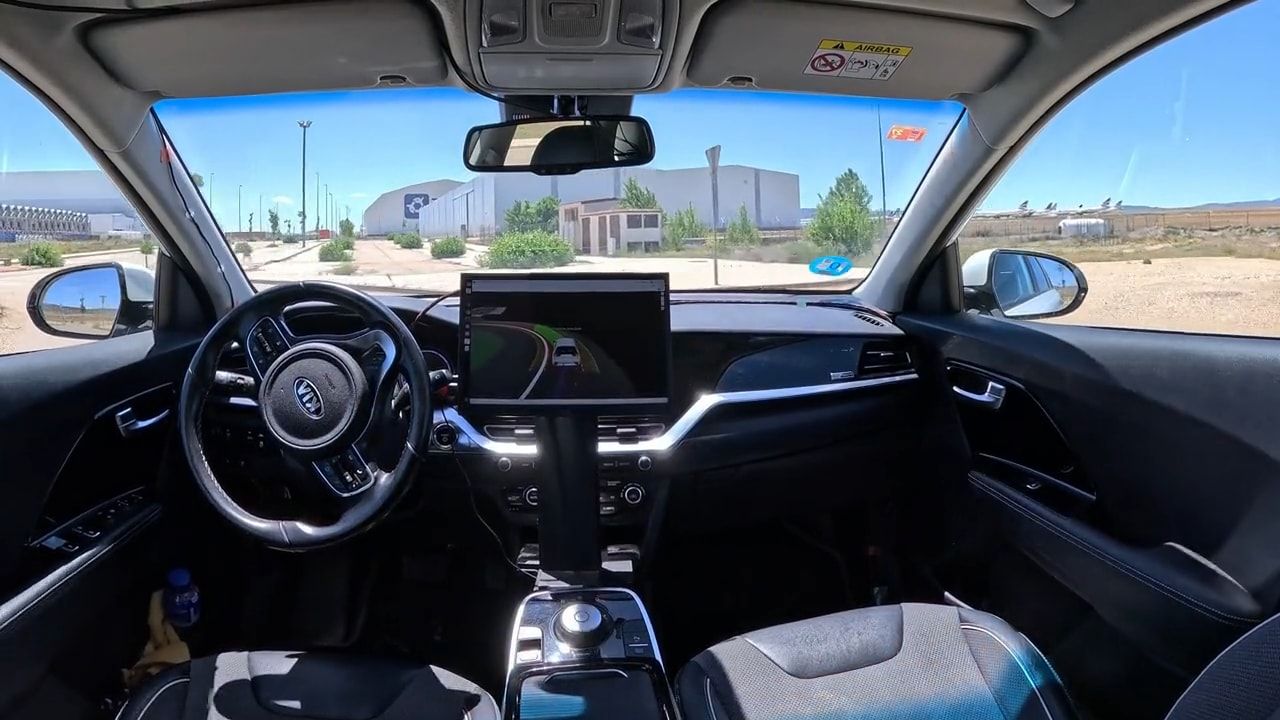
In autonomous mode, with the driver’s seat empty.

Real-world test

Our vehicle · 12 s · no sound

Photos from our tests

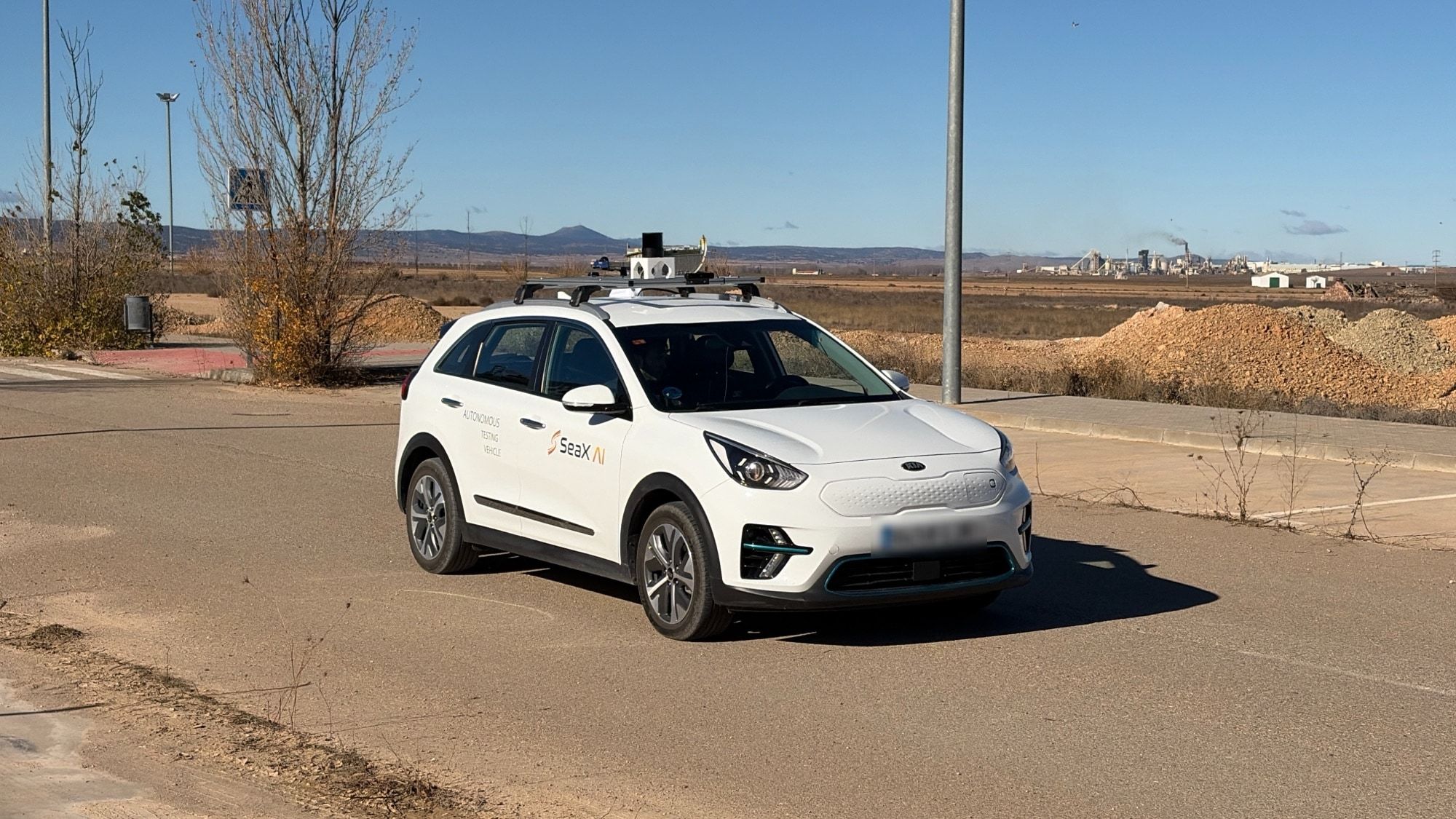
  • Our vehicle, a white electric car with LiDAR on the roof, on a paved road.
    Our vehicle
  • Cockpit of our vehicle during a test at Teruel Airport: it drives in autonomous mode, with the driver’s seat empty.
    Cockpit, in autonomous mode

What we already have

We prepare each test in simulation and validate it in the real world.

Real
Autonomy system. Runs on our vehicle, on a test track and at our test site.
Built
SX-1 robot. The security robot, on an industrial electric chassis.
How we test it

The system

The robot and the platform

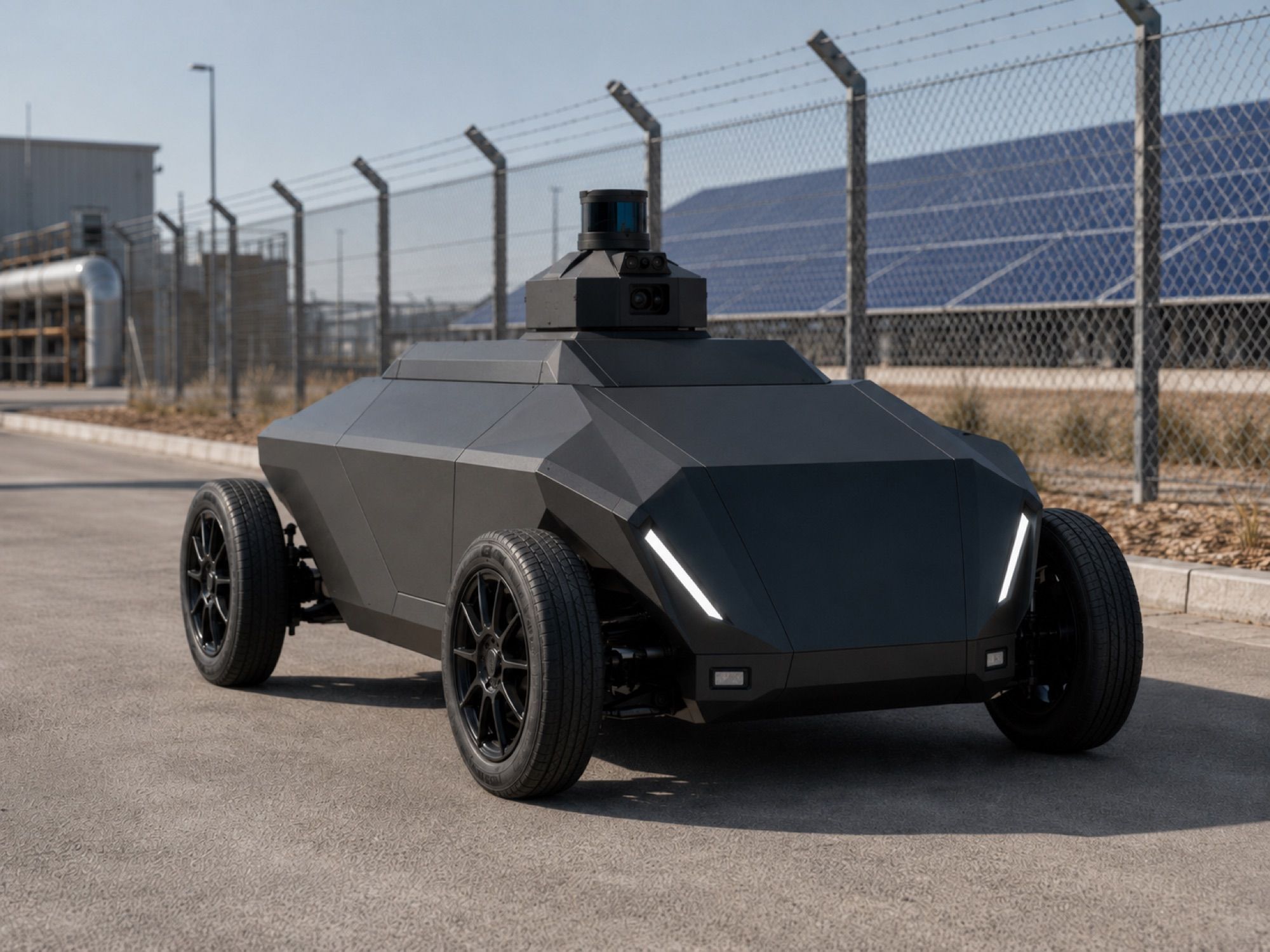
Render of the SX-1 robot by day, front three-quarter view by the fence of a site with solar panels, with its diagonal front lights on.Render

The robot

SX-1 robot

It covers the perimeter with our own autonomy system, on an industrial electric chassis.

See the SX-1 robot
Mockup · sample data
Your security company handles it. You get every step of the night, with its time.

The platform

SeaX Core

The platform, with an app for each party: your security company, your ARC or you.

See SeaX Core, the platform

SeaX Drive · for manufacturers

The same system, for your electric platform

SeaX Drive is the autonomous driving stack that runs our vehicle. It is Level 4 on closed sites, within a defined operational design domain, and we license it to electric platform manufacturers.

Support, programmes and awards

  • ENISA-certified start-up
  • Lanzadera
  • INCIBE Emprende
  • Aragon Institute of Technology (ITA)

TDI-FEDERPremio Semilla, Caja Rural de Teruel (2025)I Premios CIT de Teruel a la Innovación Rural (2025)

Security companies

Start with a pilot

Tell us what kind of company you are and where you operate. We prepare a demo with you and, after that, a pilot.

Eugenio Alcalá, founder of SeaX AI.

Eugenio Alcalá

Founder and CEO

PhD from UPC, visiting researcher at UC Berkeley. Led planning and control on RIMAC Automobili’s autonomous driving programme.

Meet the team
Who are you?

Your email app opens with the message ready for support@seax-ai.com.

What happens next

  1. Our team gets in touch
  2. First call about how it fits your service
Book a demoEmail us