Skip to content
Render

Security companies and ARCs

More perimeter with the same team

The SX-1 drives the long perimeters. Your team runs it from the gatehouse or from your alarm receiving centre, and handles the alerts.

Do you run a site? See your sector

01What you gain

What your company gains

Your officers reach further

The SX-1 drives the most remote stretches. The alert reaches the gatehouse with a photo and position, and your officer decides.

The alert arrives ready to verify

Every alert reaches your centre with an image, a classification and a position, over the standard ARC protocol.

02 — How you run it

One robot, two ways to run it

What changes is where the alert goes: to your gatehouse or to your centre.

From your gatehouse

SeaX Live · inside SeaX Pro

Simulation

01 / 02 · The alert

A person by the fence

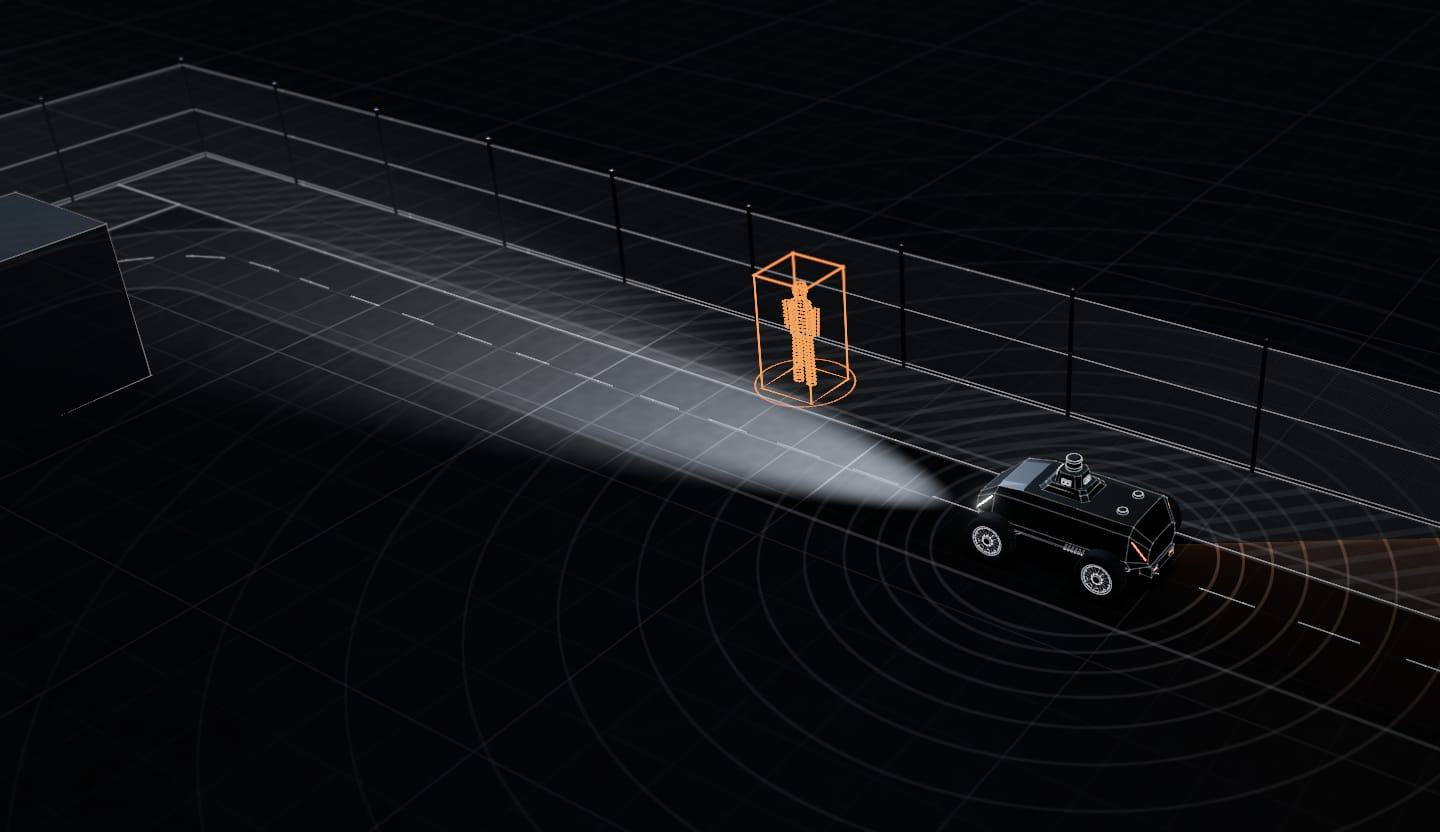
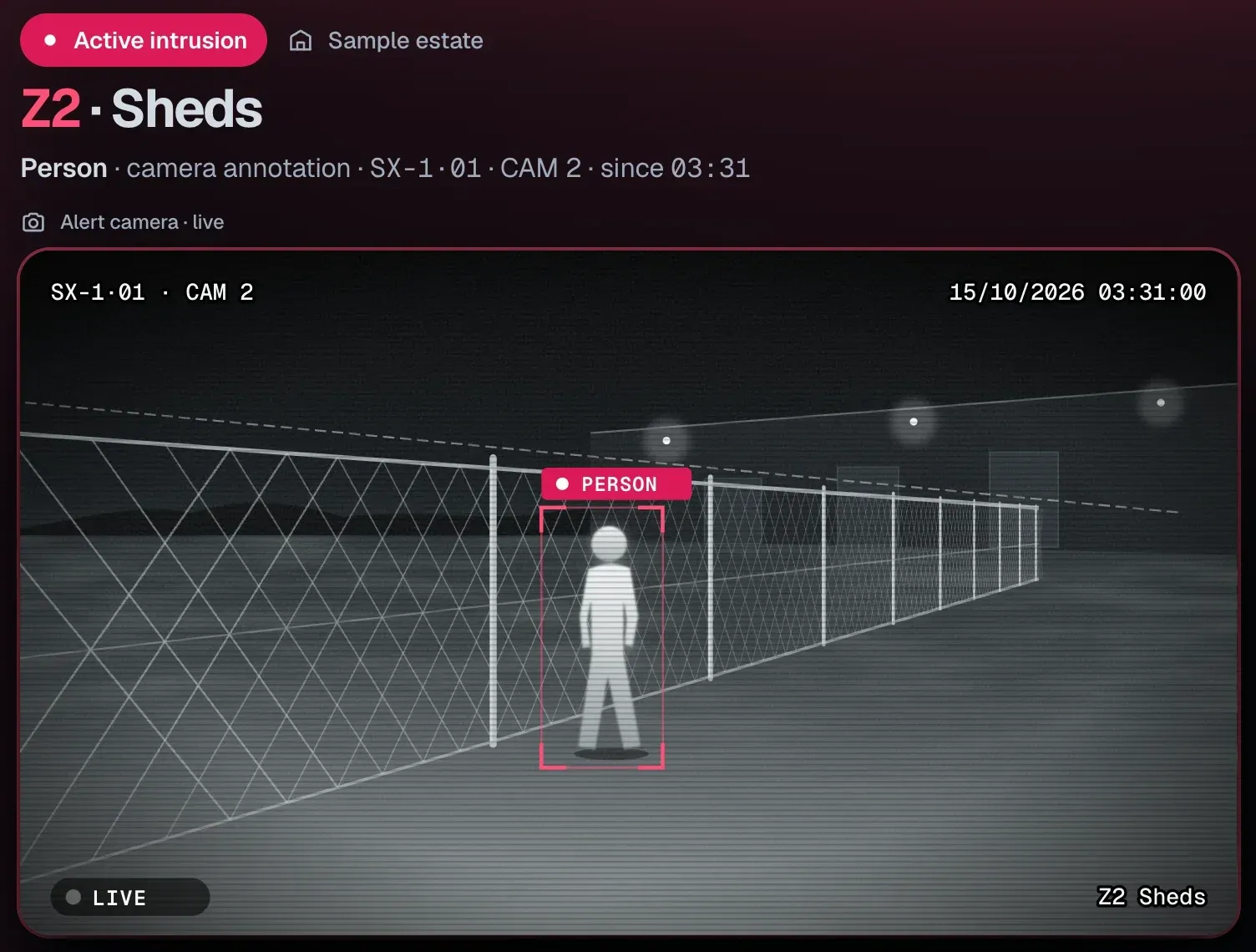
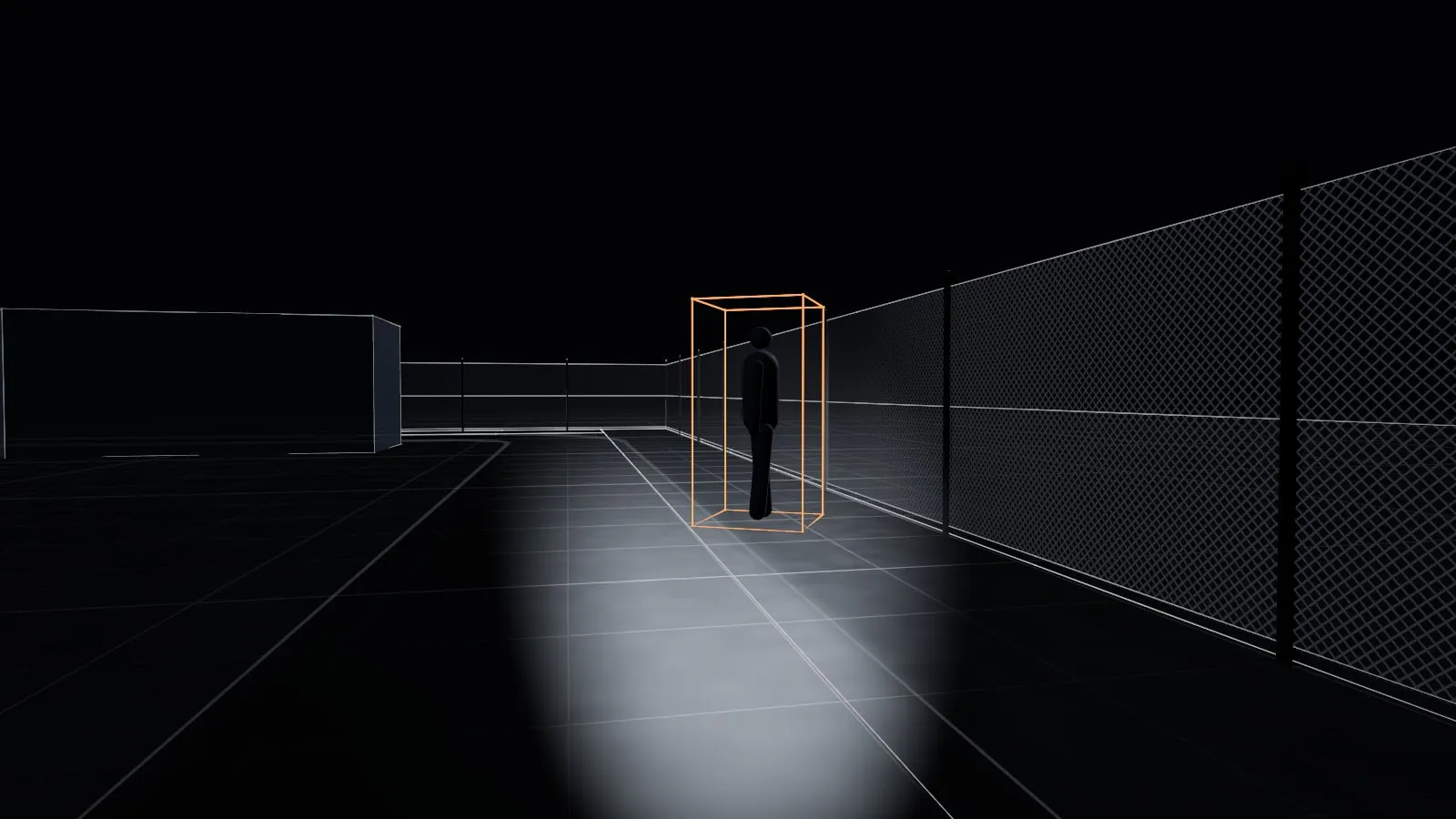
The SX-1 detects a person on a remote stretch and sends the alert with the photo and the position.

02 / 02 · Your gatehouse

It reaches your gatehouse

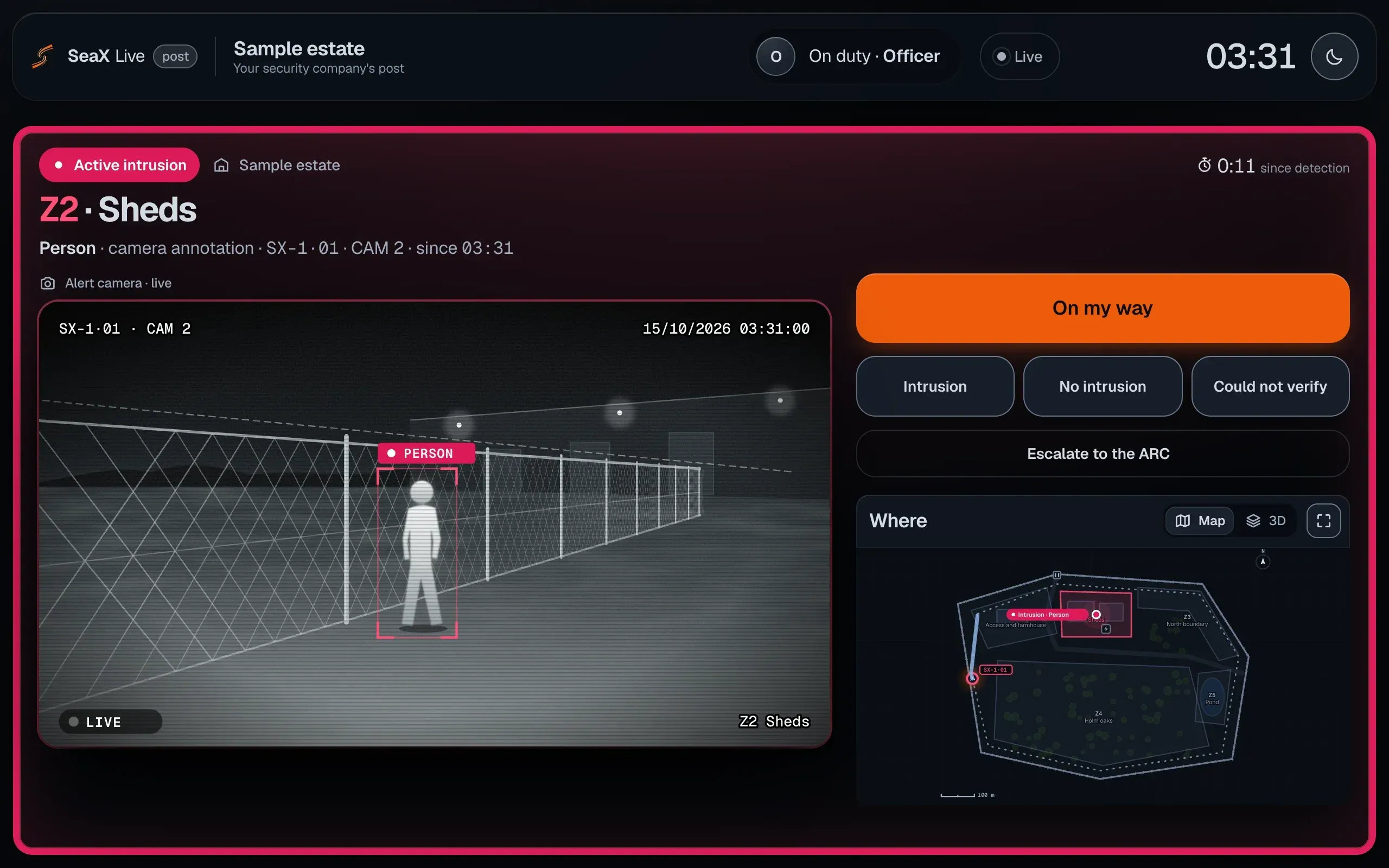
Your officer sees it live in SeaX Live and decides; if needed, escalates it.
Handled by
Your security officer, in the gatehouse
With
SeaX Live, inside SeaX Pro
A fit if…
You have a gatehouse or an officer on site
What you gain
Your officer sees the alert live and decides; if needed, escalates it
Mockup · sample data
Mockup of SeaX Live at your security company’s post: an intrusion alert in zone 2 with the robot’s live camera and the person framed, the “On my way” button, the three outcomes, “Escalate to the ARC” and the site map with the positions of the robot and the detection.Mockup of SeaX Live at your security company’s post: an intrusion alert in zone 2 with the robot’s live camera and the person framed, the “On my way” button, the three outcomes, “Escalate to the ARC” and the site map with the positions of the robot and the detection.
SeaX Live in the gatehouse: your officer sees the alert live and decides.

From your alarm receiving centre (ARC)

SeaX Connect

Simulation

01 / 02 · The alert

A person by the fence

The SX-1 detects a person and sends the alert with an image, a classification and a position.

02 / 02 · Your centre

It reaches your centre

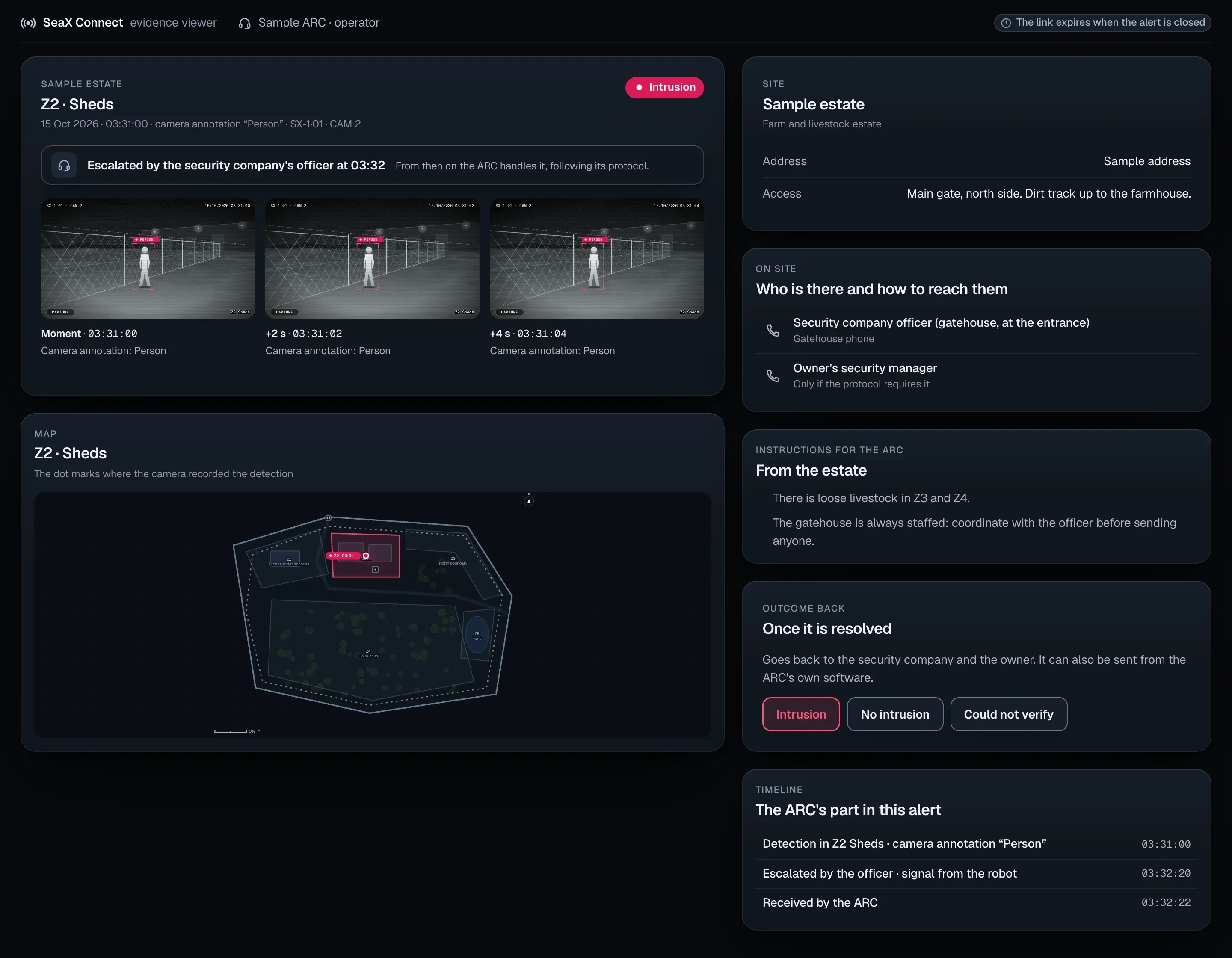
SeaX Connect delivers it over the standard ARC protocol. Your centre verifies it and manages the response under the contract with your customer; if the alert is real, it is the centre that alerts the police.
Handled by
Your alarm receiving centre (ARC)
With
SeaX Connect, over the standard ARC protocol
A fit if…
Your site already works with an ARC or you want to hire one
What you gain
Every alert with its photos and its map; your operator decides
Mockup · sample data
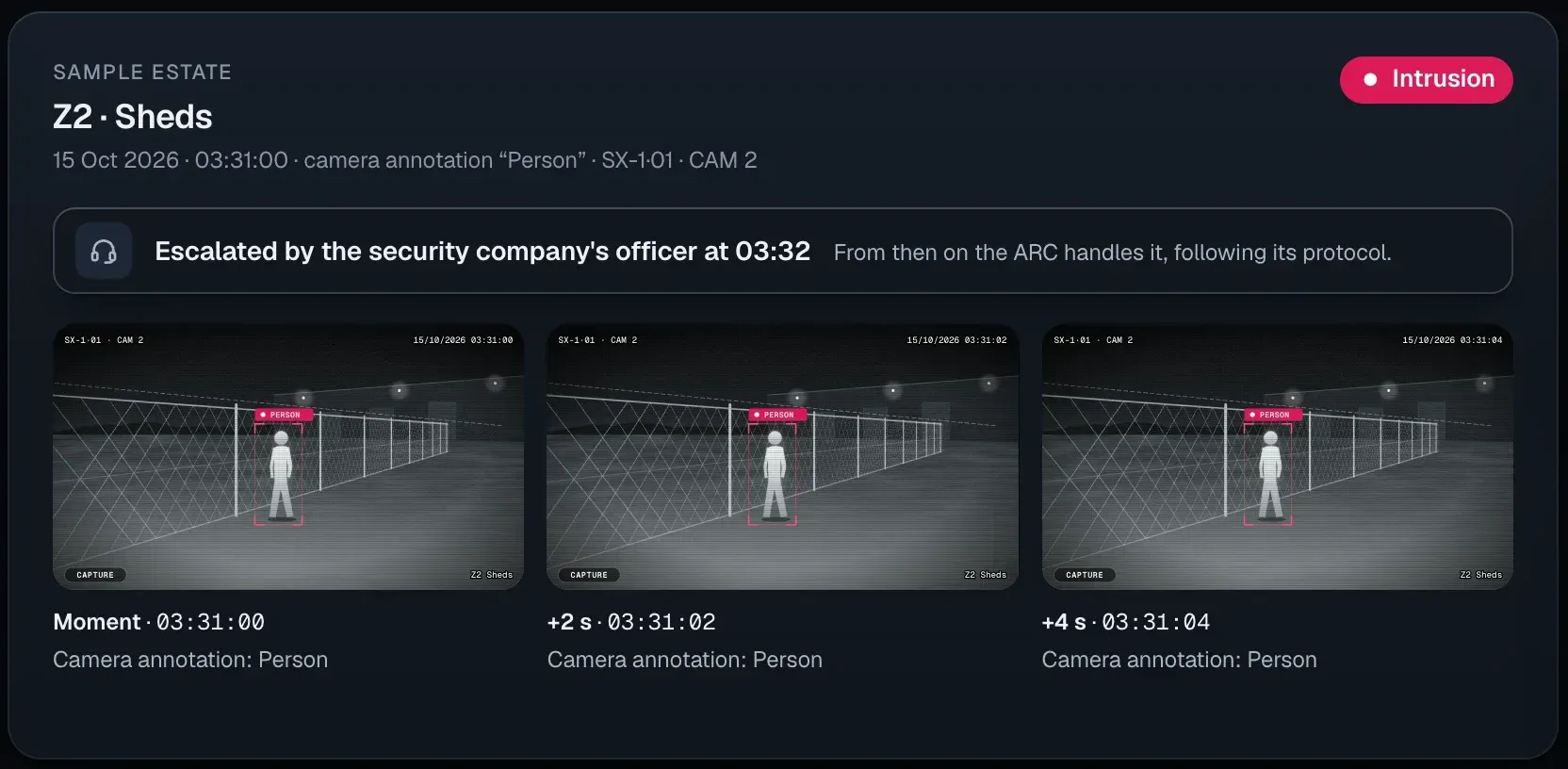
Mockup of the SeaX Connect viewer at your centre: an intrusion alert in zone 2 of a sample estate, escalated by the security company’s officer at 03:32, with three time-stamped photos, the site plan with the point of the detection, who is on site and how to reach them, the instructions for the centre, the outcome buttons and the alert’s timeline.Mockup of the SeaX Connect viewer at your centre: an intrusion alert in zone 2 of a sample estate, escalated by the security company’s officer at 03:32, with three time-stamped photos, the site plan with the point of the detection, who is on site and how to reach them, the instructions for the centre, the outcome buttons and the alert’s timeline.
The SeaX Connect viewer: the photos with their time, the map and who is on site.

03Installers and techniciansSeaX Pro · SeaX Field

One tool for the field work

SeaX Field, inside SeaX Pro, goes with the technician on site: installing, setting up the site, testing and maintaining.

What your company gains
  1. 01Install
  2. 02Set up the site
  3. 03Test
  4. 04Maintain
On site
All the field work in one app, from day one to every service visit.
On the plan
The technician reviews and adjusts the robot’s route and its zones on the site plan.
Alert test
Before going live, each alert is tested to make sure it reaches whoever handles it.
With SeaX AI
SeaX AI maintains the robots and supervises them technically.
ToolSeaX Fieldinside SeaX Pro, for the technician
See SeaX Field on the platform page
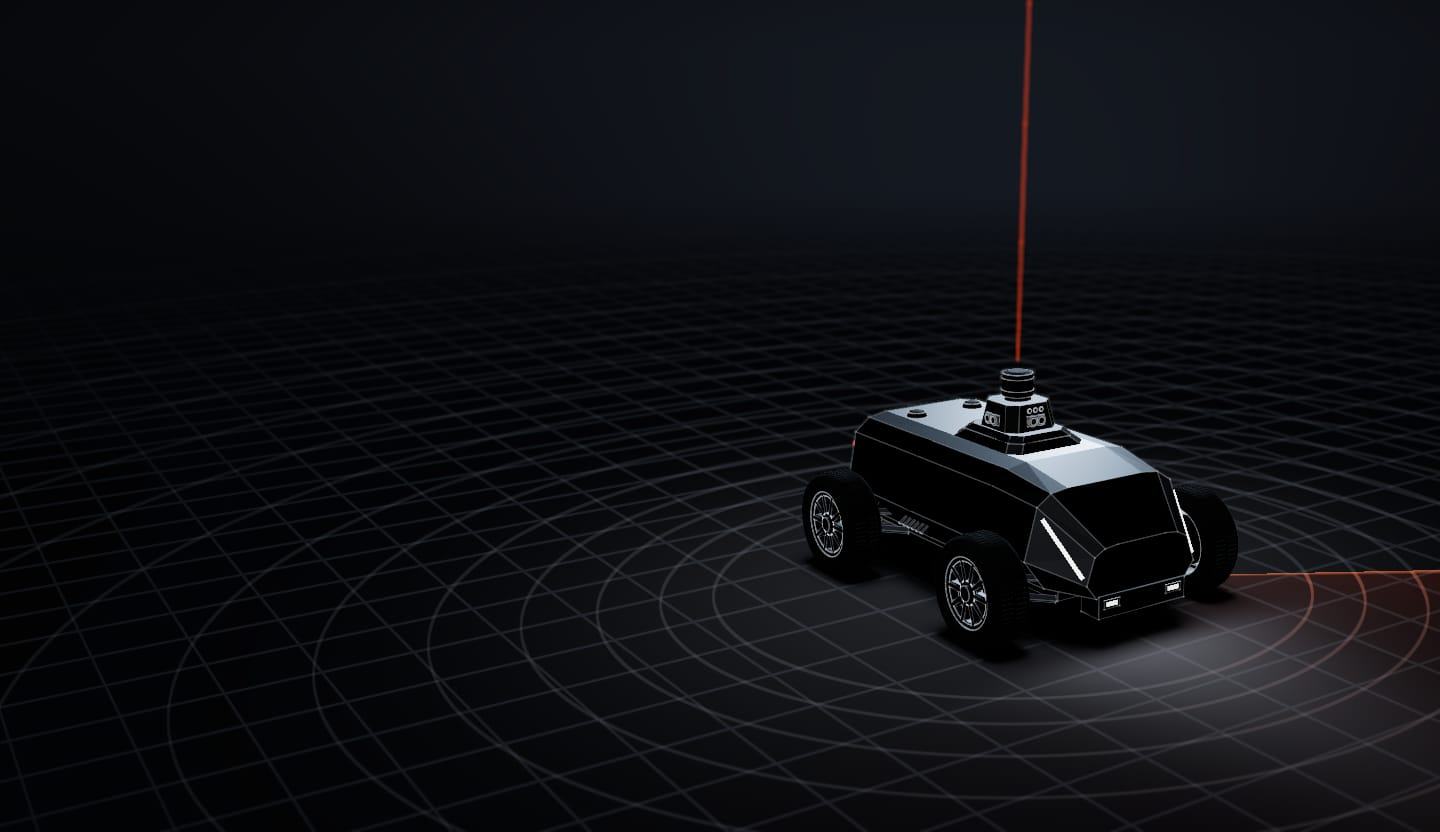
Illustrative model · not to scale

04 — Who brings what

Who brings what

The technology comes from SeaX AI. The security service, the customer relationship and the response stay with your company.

  1. 01SX-1 robot
  2. 02SeaX Core platform
  3. 03Apps
  4. 04Technical maintenance

01 / 04 · SX-1 robot

The robot

  • Covers the perimeter on its programmed routes, day and night
  • Detects intrusions and sends every alert with a photo and its position
  • Rented as Robot as a Service, with the platform and the apps

02 / 04 · SeaX Core

The platform and its apps

  • SeaX Core connects the robot, the people and the apps
  • SeaX View, for your customer: their site, its alerts and its reports
  • SeaX Pro, for professionals: SeaX Live for the security officer and SeaX Field for the technician
  • SeaX Connect, for your alarm receiving centre
See the apps in SeaX Core

03 / 04 · Maintenance

Technical maintenance

  • SeaX AI maintains the robots and supervises them technically.
  • We map the site with the robot itself
  • The technician installs and checks the robot with SeaX Field

04 / 04 · Whoever you choose

Alerts are handled by whoever you choose

  • Your team, with SeaX Live, from the gatehouse
  • Your alarm receiving centre (ARC), with SeaX Connect
Why we work with authorised companies

SeaX AI brings

Robot
The SX-1, rented: Robot as a Service
Platform
SeaX Core, which the apps run on
Apps
SeaX Pro (with SeaX Live and SeaX Field), SeaX Connect and SeaX View for your customer
Maintenance
SeaX AI maintains the robots and supervises them technically.

Your company brings

Service
The security service you already provide, under your authorisation
Team
Your security officers, operators and technicians
Customer
The contract and the relationship with the site owner

Assurance

Why we work with authorised companies

Who does what, in writing: the technology is SeaX AI’s; the security service and the response are your company’s, as an authorised company hired by your customer.

SeaX AI provides the SX-1 robot, the SeaX Core platform and its applications, and takes care of their technical maintenance. SeaX AI is not a private security company: it does not guard sites, does not receive or verify alarms and does not manage the response to an intrusion. When the robot is used as part of a private security service, that service is provided by a security company or an alarm receiving centre that is authorised and entered in Spain’s National Private Security Register, hired by the customer.

Frequently asked questions

If your question is not here, write to us.

Talk to engineering
How does it fit with my security company or ARC?

Your security company runs the SX-1 from its post with SeaX Live and decides on every alert. Your ARC receives the alerts through SeaX Connect, compatible with the standard ARC protocol. The response always stays with whoever handles the alert: your security company, your ARC or you.

Do I have to change ARC?

SeaX Connect uses the standard protocol of alarm receiving centres. Whether your centre can take the SX-1 on is something we go through with it during set-up.

Who decides whether an alert is real?

Whoever handles it: your security company’s officer from SeaX Live or your ARC. SeaX AI does not handle or verify alerts.

Why we work with authorised companies
What changes for my security officers?

It extends their reach on long perimeters: the SX-1 drives the routes and your security officer runs it from their post with SeaX Live, with the map and the cameras live. The response still stays with your team.

What does my site need?

We go through it with you on the first visit: terrain, access points, charging point, mobile coverage and who will handle the alerts.

What happens if the connection drops?

Perception and navigation run on board. If your site network goes down, the alert goes out from the robot over the mobile network. If our server goes down, your ARC keeps receiving alerts, which reach it directly from the robot; the apps get them once the connection is back. What it needs is mobile coverage along the route.

How much does it cost?

It is rented as Robot as a Service: the robot, the platform, the apps and technical maintenance. We quote it once we know your site.

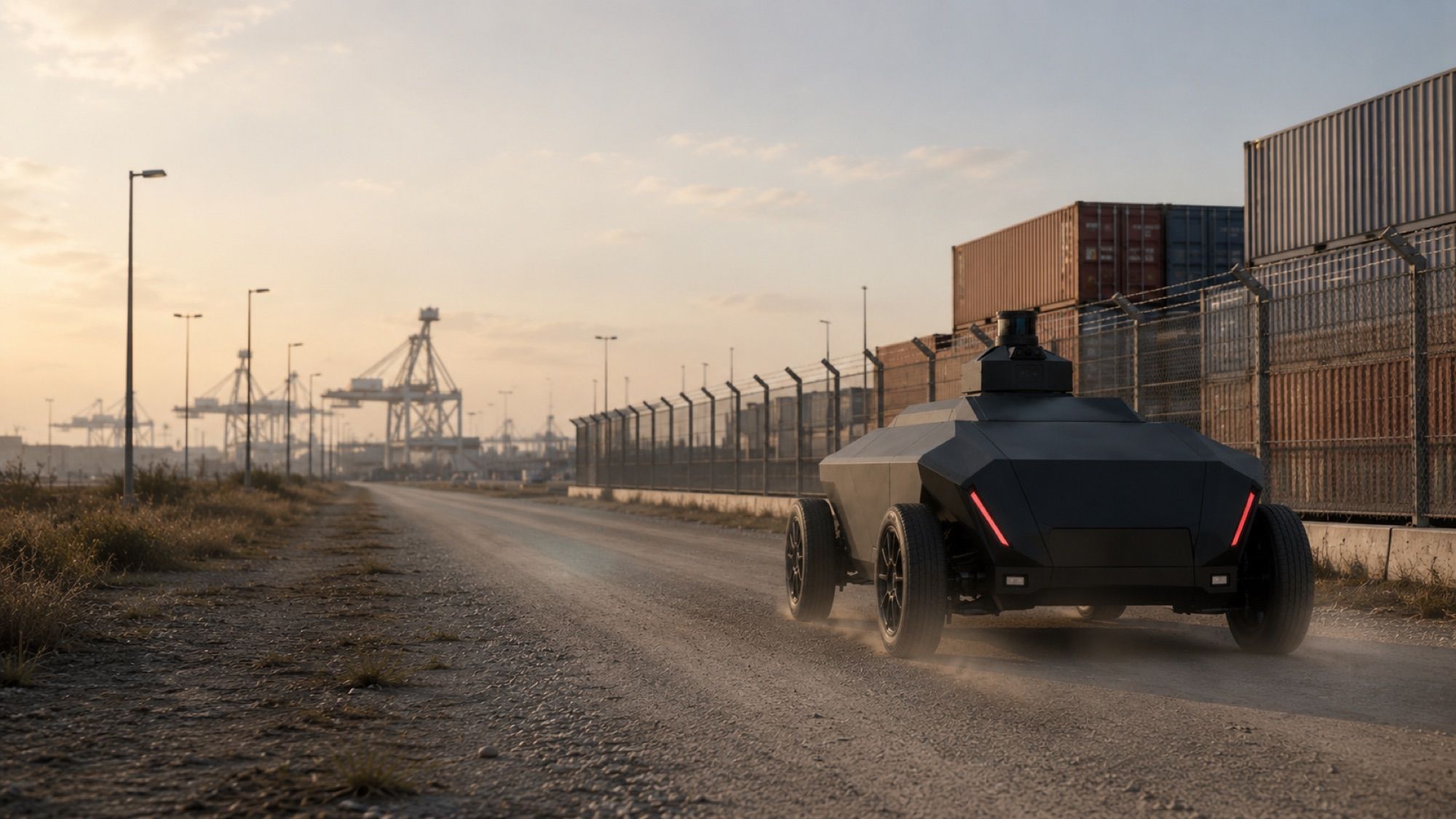
Render of the SX-1 robot on a track between the panels of a solar farm.
Render
Start with a pilotNext stepA trial of the system at one of your sites, with your team handling the alerts.

Security companies

Your path to a pilot

Tell us what kind of company you are and where you operate.

Who are you?

Your email app opens with the message ready for support@seax-ai.com.

What happens next

  1. Our team gets in touch
  2. First call about how it fits your service
Start a pilotEmail us